Social Media Business Guide — Setting Up Your Instagram
August 16th, 2022 | Sharing Circle

Social media has made it easier than ever for tourism operators to reach consumers by using bite-size content to generate sales. In this digital age, small businesses have limitless opportunities to promote, engage, and connect with customers. The goal of this blog post is to highlight small changes you can do to your Instagram account to ensure your account is being seen by the right people. If you would like more information on how to create, enhance, or develop your social media presence, please consider signing up for ITO’s Indigenous Business Advisory program. Sign up by emailing: iba@indigenoustourismontario.ca.
ENHANCING YOUR PROFILE
1 – Change your Instagram Account to a Business Account with a category.
Why? This makes your profile seem more professional, gives you access to Instagram analytics, makes it easier for customers to contact you and understand your business based on its category, gives you access to Instagram Ads, you can create a “shop” tab with your products, and you can schedule posts.
How? Open Instagram App > Open Settings > Press “Account” > Press “Switch to Professional Account” > Tap Through the Benefits of a Business Profile > Select a Category > Ensure “Display on Profile” is ON > Press Done > On “Are You a Business” page, Select “Business” > Press Next > Review Contact Information > Done!
Example: Shows the category as “Shopping & Retail”

2 – Link your Instagram posts with your Business Facebook Page.
Why? Linking your Facebook and Instagram will automatically post your Instagram posts to your Facebook page. This is an easy way to keep both social media networks up to date and also ensures your content is being shown to both customer markets.
How? Open Instagram App > Open Settings > Press “Account” > Press “Sharing to Other Apps” > Click Facebook > Under the Automatically Share section, ensure “Your Instagram Story and Posts” are both ON
KEEP YOUR PROFILE COHESIVE AND ON BRAND
- Have your username as your business name.
- Make your profile picture a photo of your logo or product/ service.
- Make your Bio a little blurb about your company and offerings.
- Have an address setup in your account settings so customers know where to find you.
- Have your phone number and email setup in the contact section.
- Follow other local businesses, industry partners and your local Regional Tourism Organizations (RTO). Suggested Accounts to follow:
| Industry Partners | Regional Tourism Organizations |
|---|---|
| @IndigenousTourismOntario | @ontsouthwest |
| @ontariotravel | @visit_niagara |
| @explorecanada | @heartofontario |
| @TIAOgram | @sixnationstourism |
| @ccab_national | @destination_toronto |
| @culinarytourismalliance | @durhamtourism |
| @attractionsont | @visitydh |
| @feontario | @brucegreysimcoe |
| @Explorethebruce | |
| @rto7connection | |
| @perfectwknds | |
| @thekawarthas | |
| @tourismbarrie | |
| @southeast.ontario | |
| @rto9_on | |
| @ottawatourism | |
| @discovermuskoka | |
| @greatcanadianwilderness | |
| @neontario | |
| @destinationnorthernontario | |
| @tourismtimmins | |
| @tourismnorthbay | |
| @algomacountry | |
| @sudburytourism | |
| @destinationtbay |
SETUP INSTAGRAM SHOPPING TAB
This is a tool you can set up if you offer products. The products will be listed on your profile in a tab.
How? Open Instagram App > Open Settings > Press “Account” > Press “Business” > Press “Set Up Instagram Shopping” > Press “Get Started”
Help? https://business.instagram.com/shopping/setup
SET UP A LINKTREE
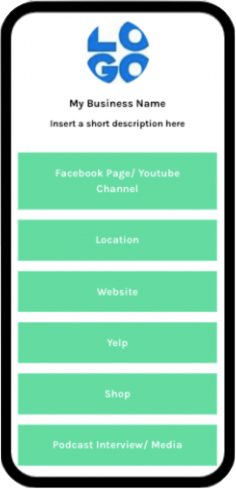
A Linktree is a free tool that consolidates all of your links and profiles in one webpage.
Why? Having a Linktree as the link in your bio instead of your home page allows customers to see all of your pages, offerings, and media you’ve done, or other places to find you. It is not essential but does help for businesses who are on all corners of the internet.
How? You can set one up here: https://linktr.ee/ It is free and very easy to use.
Written by the ITO Team
Thank you for reading this story in The Sharing Circle! If you have any feedback on this blog post, please let us know by emailing us at IBA@indigenoustourismontario.ca.